Webhooks (API notifications)
Using envbee you can get an API call (webhook) when a variable value changes.
Let's say you want to get notified when the value of the variable DATABASE_USERNAME changes in the development environment.
You'd need to:
1. Add webhook to an environment
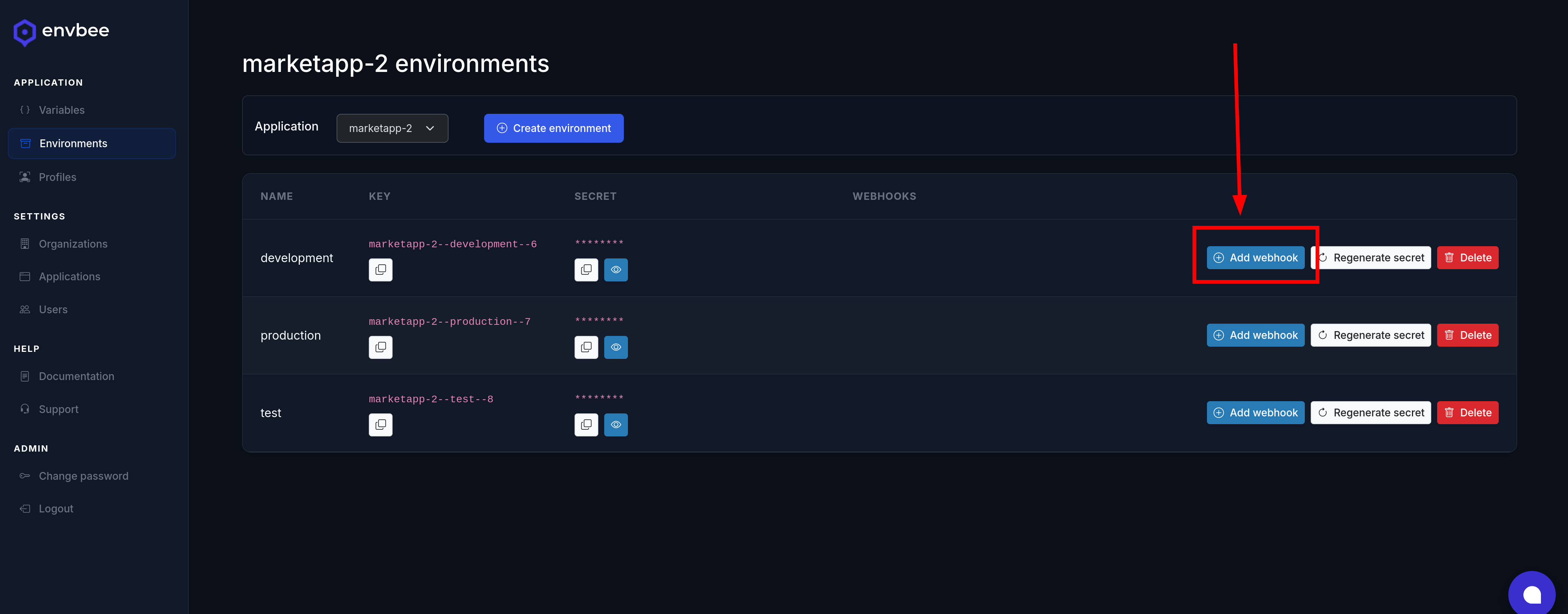
In the Environments module, on the development environment row, click on the Add webhook button.
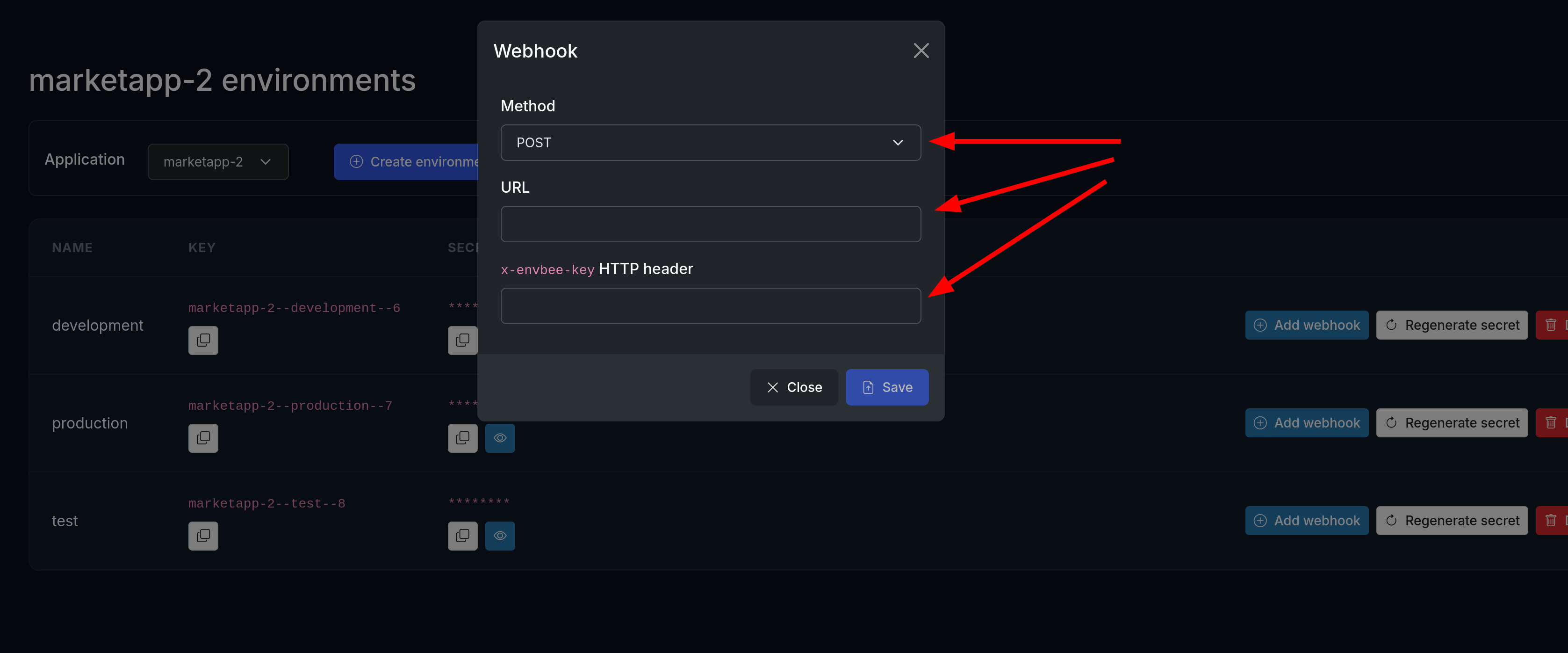
Then complete the HTTP method and URL where you want to receive the webhook call. We'll also send a x-envbee-key HTTP header with each call, so also set here what value you want to receive.
2. Enable notification for a variable
envbee will only send notifications for the variables you enable, by default all variables notifications are disabled.
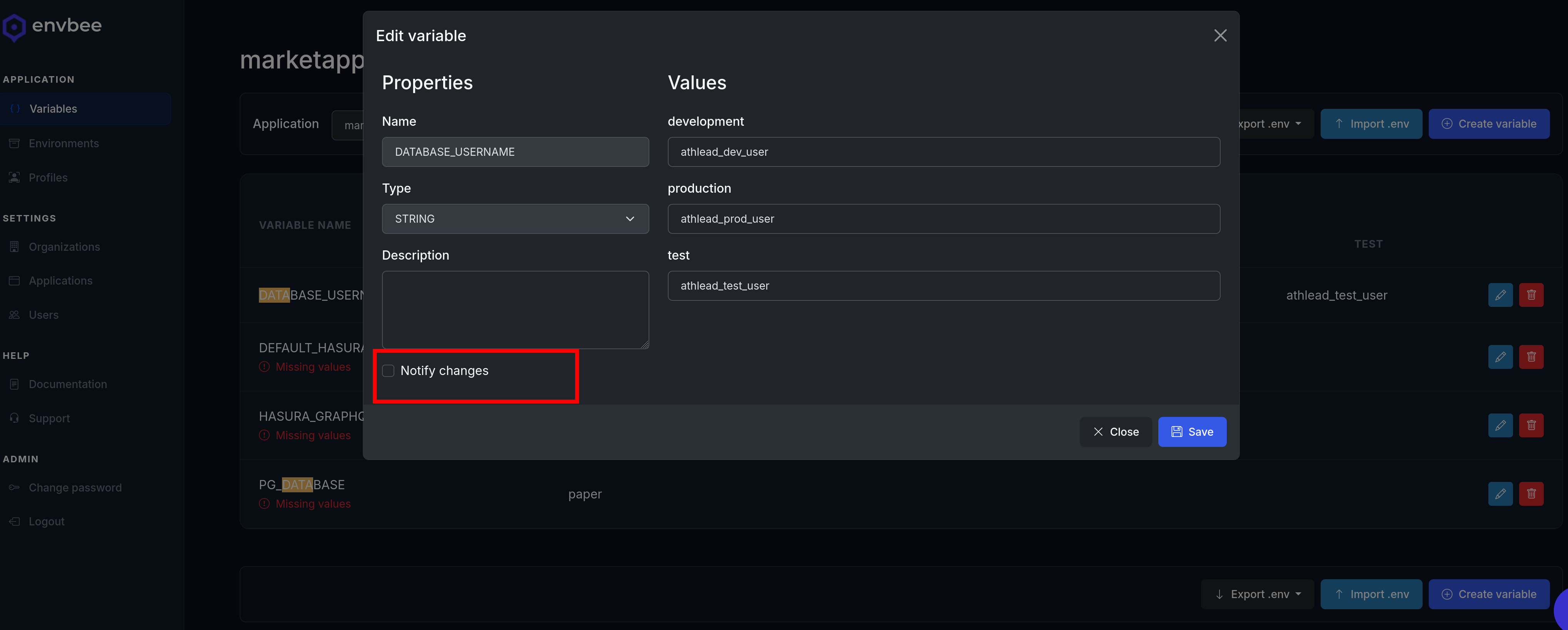
So, in the Variables module, go edit DATABASE_USERNAME, and in the variable form click the Notify changes checkbox and save.
And that's it (on envbee side)!
3. Handle the webhook calls
This is for you to handle: add an API endpoint to receive our webhook calls, and handle the incoming data.
This is a sample message payload you'll receive:
{
  id: 23,
  variable_id: 21,
  variable_name: "DATABASE_USERNAME',
  environment_id: 3,
  content: {
    value: "athlead_dev_user"
  }
}